USB Licence Keys#
Operating system requirements
Some USB licence keys currently used by ZORBA rely on drivers to allow communcation between the USB key and host computer.
The drivers are not compatible with some combinations of chip and operating system. In these cases, it may be possible to convert to a driverless key.
More details are available here.
Single User Keys#
Single User USB HASP licence keys provide access to an ZORBA licence on any computer where the licence key is plugged in.
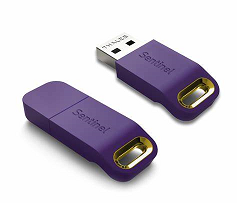
With a single user key, ZORBA can be installed on multilpe different computers concurrenlty, however ZORBA would only run on the computer where the licence key is plugged in.
Two different types of single user key are available:
- Sentinel or HASP HL Pro
- Sentinel HL Pro (Driverless configuration)
Most keys received after July 2026 have a driverless configuration.
Network Keys#
Network USB HASP licence keys can provided access to ZORBA over a LAN or WAN network.
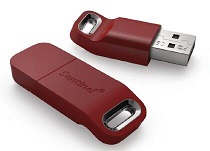
A network USB HASP key can be plugged into any computer with reliable visibility to the network. Often a Windows server will be a suitable host for the key, however any Windows or Mac computer could be a candidate to host the key.
Two different types of network key are available: Net-10 and Net-50.
-
A Net-10 key can allow concurrent access to the network licence by between 1 and 10 users. That is, it has provision for between 1 and 10 seats on the licence.
-
A Net-50 key can allow concurrent access to the network licence by between 1 and 50 users. That is, it has provision for between 1 and 50 seats on the licence.
Access a network key from a client computer
To access a ZORBA network key licence from a client computer (that is, a computer which is not hosting the key) requires the following:
-
On the host computer where the key is plugged in, ensure that the Key Status is ok.
-
On the client computer, install relevant HASP key drivers and also install ZORBA
If the host and client computers are using the same LAN (Local Area Network) then typically no further configuration is needed and ZORBA on the client computer will be able to access the network licence.
If the host and client computers are using a WAN (Wide Area Network) and each computer has a different ip address range, then some additional configuration of the key setup may be needed. In this case, please contact the local distributor for details.
Drivers#
In some cases, drivers need to be installed to run ZORBA successfully with a USB Licence Key.
The need to have drivers installed depends on the type of USB Licence key used along with the computer's processing chip and its operating system.
Relevant drivers installation files are available here.
Single User Keys
For single user keys, the table below provides an overview of when drivers are typically requried.
Operating System |
Chip |
Single User Key type |
Drivers? |
|---|---|---|---|
| Windows | ARM | Driver | Not compatible1 |
| Driverless | Not required | ||
| Intel | Driver | Required | |
| Driverless | Not required |
My key is not Driverless?
In cases where drivers are not compatible with the chip and operating system, it still may be possible to use an older style drive key for INSUL by converting it to driverless.
If you think you may require a driverless key, please contact your local distributor for more details.
Network Keys
For network USB licence keys, we recommend installing drivers in all cases.
It is also recommended that the computer hosting a network USB key uses an Intel chip.
Are the drivers installed correctly?
If the key drivers are installed successfully on your computer then when you plug the USB HASP key into your computer, the small red light inside the key should illuminate.
Another way to check that your computer is communicating with the USB HASP Key is using the Sentinel Admin Control Centre.
Sentinel Admin Control Center#
The Sentinel Admin Control Centre is an interface for USB HASP keys which allows a host computer/PC to communicate with HASP keys.
To access the Sentinel Admin Control Centre, open a new web browser tab and type the following into the address bar: localhost:1947
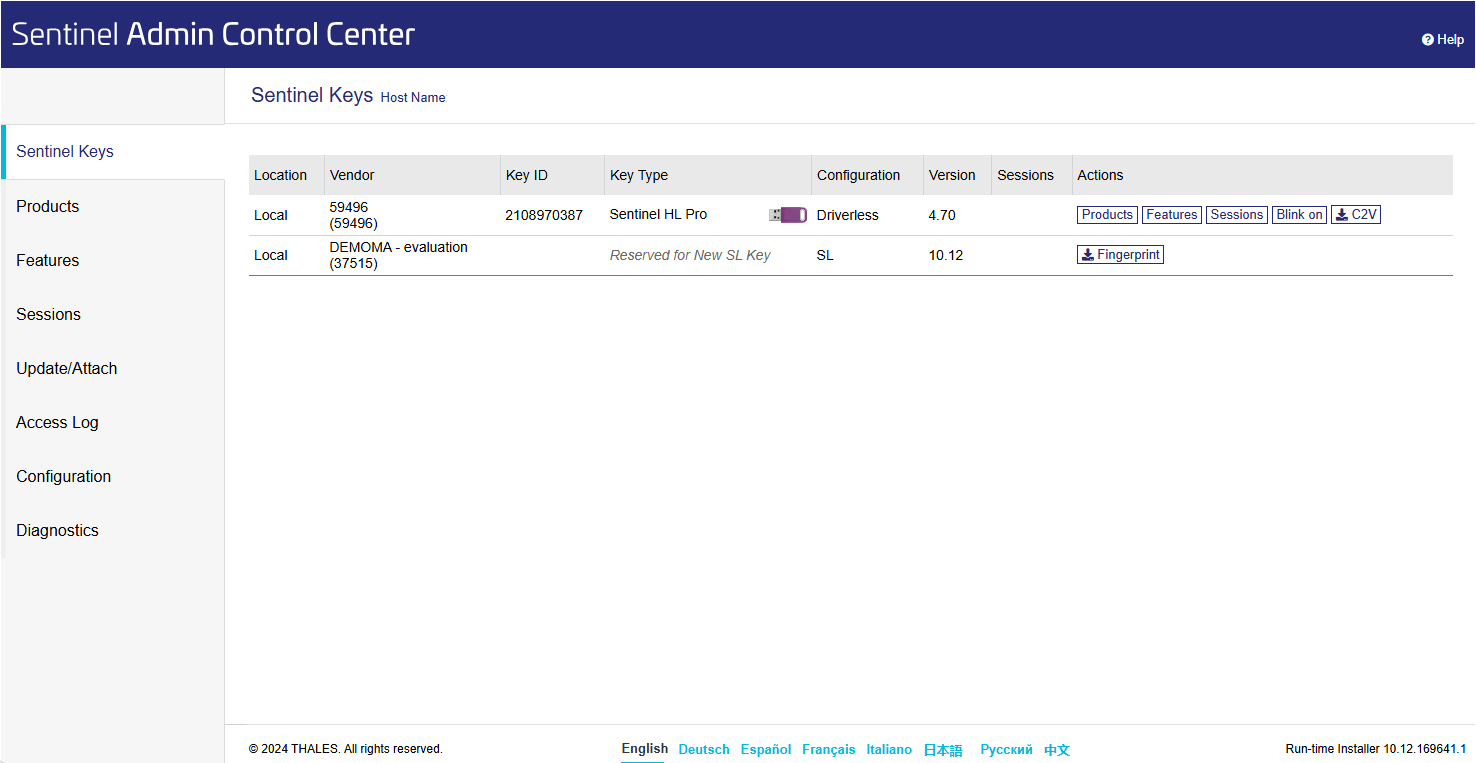
If the USB HASP drivers are installed OK, then the web browser will display the Sentinel Admin Control Centre home page.
Is my key status ok?
By default, the home page will show a list of the USB HASP keys that are visible to the computer.
For ZORBA, single user keys will appear in the list as type HASP HL Pro and network keys will appear in the list as type HASP HL Net 10 or HASP HL Net 50.
If there is a USB HASP key in the list with vendor code 59496, then your key status is OK.
If your ZORBA USB HASP key is not visible in the list, the please contact your local distributor for assistance.
-
Drivers are not compatible with computers using an ARM chip. ↩