Subscription licences#
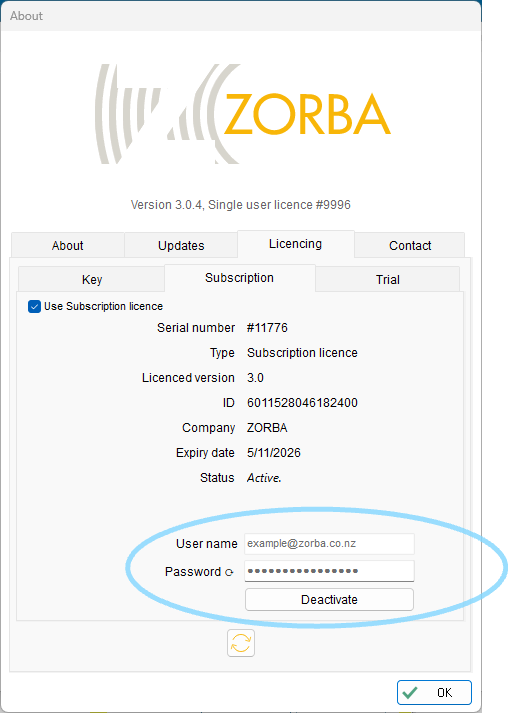
A subscription licence for ZORBA is provided via an online licence server.
A reliable internet connection is required
To access a subscription licence, a reliable internet connection is requried for each ZORBA session.
This is because ZORBA checks for the subscription licence at start up and then re-checks periodically through the course of the ZORBA session.
A subscription licence can be arranged with your local distributor.
A subscription licence can be activated as follows.
-
Open ZORBA and select Help > About
-
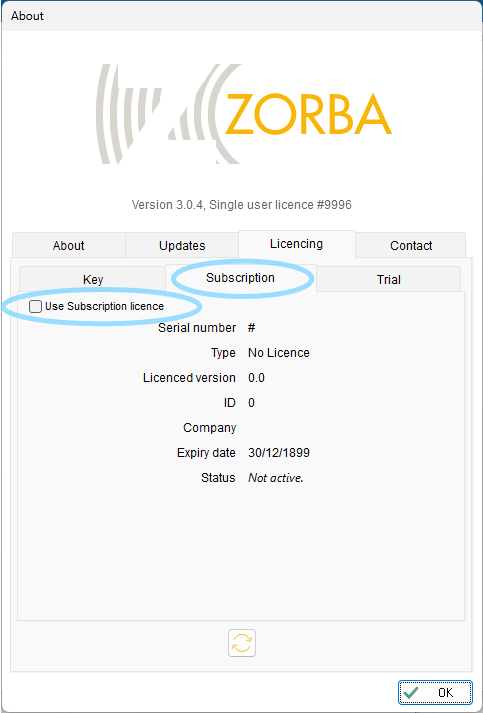
Select Licencing > Subscription
-
Select Check for subscription licence
-
Select Credentials to expose the credentials details
-
Update the credentials using the information for your subscription licence, as provided by your distributor
-
Press activate