Installation Notes#
Important
Before installing ZORBA close any open applications and log on as a user with sufficient access rights to install programs. This normally means having Administrator rights.
Also ensure that you have installed the HASP key drivers for Zorba if you already have a dongle.
Windows#
-
Visit the ZORBA website and download the msi installer.
You'll need to provide your name and email address before you can download the installer.
-
Run the msi file to start the Installation Wizard.
-
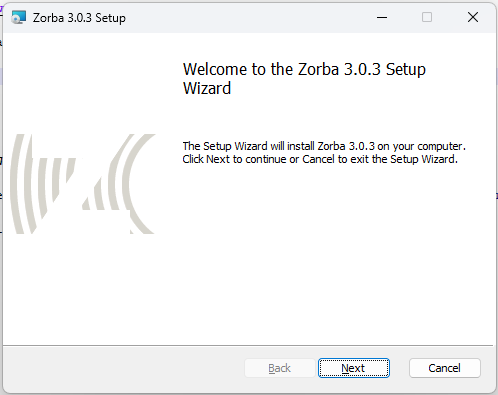
Read the instructions on the Welcome page and click Next.
-
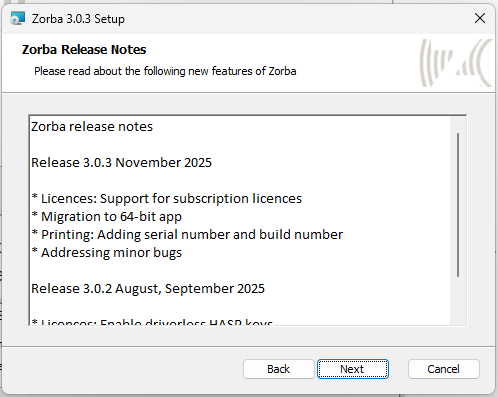
Read the Release Notes, click Next.
-
Read the Software License Agreement. If you accept the terms of the licence, select I accept the terms in the Licence Agreement, then click Next

-
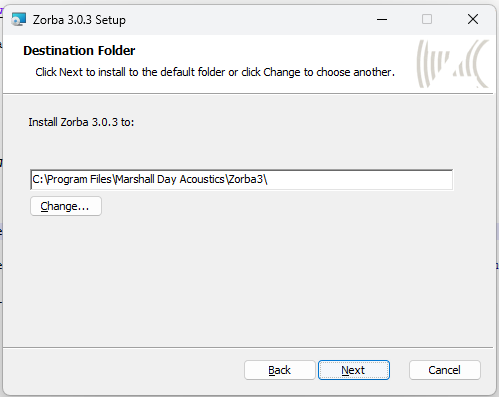
Confirm the Destination Folder, click Next.
-
Click Install
- Click Finish to exit the installation Wizard.
- ZORBA can now be run from the Windows "Start" menu.
MacOS#
ZORBA is not available on MacOS.
First use...#
By default ZORBA will use metric units. But you can change the units to imperical in the settings menu.
You can also change the langage by clicking on the Tools menu item and selecting 'Set language' Zorba is available in English, French, German, Spanish and Swedish.